The round loop you should learn first
Every round follows a short routine. Read the character prompt, inspect the reference image, choose the closest color you can make, submit before time runs out, and compare the two percentages. Then clear your head for the next prompt. One bad answer does not have to spoil the duel.
You are matching a color, not typing a character name. The name and image are already on the prompt panel. Work out which part of the image matters, copy that shade with the available controls, and lock it in. Beginners often waste time identifying every detail when the round only needs one color choice.
Play the current experience from its official Roblox page. The interface can change with updates, so use the live prompt, timer, buttons, and status display in your client as the final check.
How to enter a 1v1 duel
The lobby contains colored duel stations built for head-to-head play. Take an open seat and wait for another player to occupy the opposing side. When both positions are filled, the match presents the two players around the table with names, visible status elements, and the round interface.
If nothing starts, check the station before changing servers:
- Confirm that you are seated rather than standing beside the table.
- Look for an on-screen message asking for an opponent.
- Check whether the opposite seat is occupied.
- Move to another open station if the current table does not pair correctly.
- Join a more active server if every station stays empty.
Several players can share the server, but each active contest is still a 1v1 duel. You can compete with friends. Check the current Roblox client for the available server and party controls.
Read the prompt before touching the picker
At the start of a round, the central panel shows a named character and a reference image. Pause for a quick visual scan before choosing a swatch. Decide whether the prompt image is emphasizing hair, eyes, clothing, or another dominant accent. Then reduce that feature to three properties: broad hue, light or dark value, and vivid or muted intensity.
This takes a few seconds and keeps a familiar character from pulling you toward the wrong color. Match the image on screen. A remembered outfit, transformation, or alternate design is useless when it differs from the current reference.
| Prompt check | Question to ask | Useful action |
|---|---|---|
| Target area | Which colored feature dominates the image? | Focus on that region instead of averaging the whole portrait. |
| Hue | Is it closest to red, orange, yellow, green, blue, purple, or neutral? | Pick the nearest color family first. |
| Brightness | Is the feature pale, medium, or dark? | Move away from a bright preset when the reference is shaded. |
| Intensity | Does the color look vivid or grayish? | Reduce saturation for dusty, silver, or shadowed tones. |
Choose a color without wasting the timer
The observed round interface includes a large current-color preview, a vertical color control, eight visible preset swatches, and a submit button. Use a preset as a starting point when one is close, then use the broader control to correct the shade. The extra adjustment matters because two answers can share the same basic hue while producing different percentages.
A September 2026 match started with about 30 seconds on the clock, but that is a pace guide, not a permanent rule. Read the live timer. Identify the target early, refine the color in the middle, and keep the last few seconds for a final check and submission.
Tiny adjustments are not worth timing out. Once the hue family and brightness look close, make one controlled correction instead of dragging the picker around in a panic.
Submit, then read the result correctly
Pressing the submit button changes it to a submitted state in the observed interface. That visible state is your confirmation that the choice has been locked while the other player finishes. Check for it instead of clicking repeatedly.
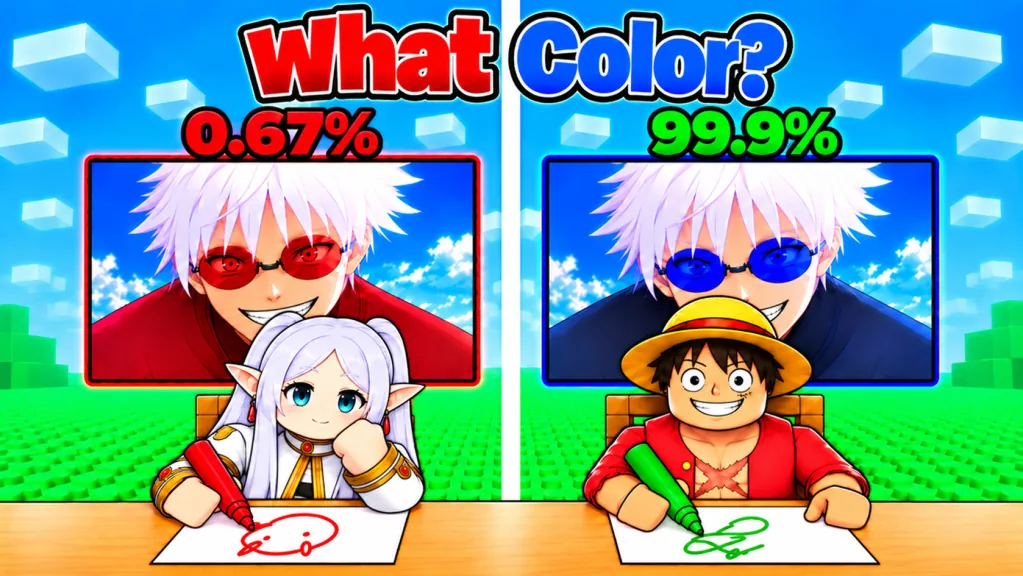
When the round resolves, the game presents the reference with both players’ color-modified answers and a percentage for each. Read the percentages as a comparison of color-match accuracy. A result above your opponent’s is the useful round-level signal; the exact mathematical color-distance formula and rounding method are not public.
One result will not reveal a hidden formula. Use the screen to spot the visible difference:
- Correct hue but a weaker percentage usually calls for a brightness or saturation correction on a later similar prompt.
- A wildly different result points to the wrong target feature or color family.
- Two close results show that small shade choices can separate otherwise reasonable answers.
- A perfect result has a corresponding public badge, but no fixed recipe guarantees it for every prompt.
Manage the duel across multiple rounds
Both players have heart icons around the duel station, and the heart state changes as rounds resolve. A win announcement marks the end of the duel. Think of the hearts as the match-status display and keep playing the next prompt until the client declares the winner.
Never assume that one loss always removes one heart. The game does not explain its starting health, heart changes, ties, flame number, or disconnect behavior. Read the heart display after each comparison.
After a weak round, decide whether you missed hue, brightness, or saturation, then move on. The next character is a fresh problem. Carrying frustration into the countdown usually ends in another rushed answer.
First-match checklist
Keep this checklist handy until the loop feels automatic:
- Sit at a duel station and confirm that an opponent has joined.
- Read the character name, but judge the displayed reference image.
- Identify one dominant target feature before choosing a color.
- Start from the nearest preset swatch when it saves time.
- Refine brightness and intensity with the wider color control.
- Watch the current timer rather than assuming a fixed round length.
- Leave enough time to press submit and verify the submitted state.
- Compare both percentages after the result appears.
- Check the heart display, then focus on the next prompt.
- Wait for the duel-win announcement before treating the match as finished.
Common beginner mistakes
Matching the character’s reputation instead of the image
A character can be associated with several colors across outfits, scenes, or forms. The prompt image is the target for the current round. If memory and the displayed feature disagree, trust the display.
Treating the presets as the only answers
The eight visible swatches are fast anchors, not a complete list of possible colors. Use the more precise control when the reference sits between two obvious choices or when the correct hue is visibly lighter, darker, or less saturated.
Submitting the first correct-looking hue
“Blue” is only the first decision. Pale cyan, vivid royal blue, and deep navy belong to the same broad family, yet they can produce different results. Compare brightness and saturation before locking the answer.
Waiting for the last instant
Late adjustment creates two risks: moving away from a good shade and failing to confirm the submit state. Build a small submission buffer based on the live countdown.
What to learn after the basic loop
Once joining, matching, and submitting feel automatic, work on two skills separately. Train your eye to find the relevant character feature quickly, then practice moving the picker without losing the hue you already chose. A close loss is easier to understand when you know which skill broke down.
The experience advertises more than 100 characters, cosmetics, leaderboards, and competition with friends. Use the current in-game menus for live character, cosmetic, rank, and leaderboard details.
FAQ
What do I do in Guess the Anime Color?
Join a 1v1 duel, inspect the named character image, choose the color that best matches the displayed target, submit it, and compare your percentage with your opponent’s result.
How long does a color round last?
One observed match showed a countdown of about 30 seconds. Check the timer in the current client because the live duration can change.
Do I need to type the anime character’s name?
No. The prompt already supplies a name and image. You select and submit a color.
What do the result percentages mean?
They represent how closely each submitted color matches the reference. The exact formula and rounding method are not public, so use the visible shade difference to improve your next answer.
How does a full duel end?
Rounds update the players’ visible match status, including hearts, until the game displays a duel-win announcement. Follow the live interface rather than assuming a fixed damage rule.