Scan the shown feature, not your memory of the character
Start with the feature, not the character’s reputation. Find the largest clear patch of color in the reference, name its basic hue, and judge how light or vivid it is. Then touch the picker.
The game already gives you a character name and image. You are choosing a color from that portrait, not proving that you know the identity. The visible version wins over memory. Outfits, lighting, transformations, and alternate art can all change the answer, while the current image gives you one target.
Use a four-zone visual scan
Divide the portrait into four useful zones: hair, eyes, clothing, and accent details. Start with the visually dominant zone. You need one deliberate target rather than an accidental average of the whole image.
| Scan zone | What to inspect | Common trap |
|---|---|---|
| Hair | Main fill color away from shine and deep shadow | Choosing the bright highlight instead of the base shade |
| Eyes | Iris color, especially in a close face crop | Mixing the iris with white, lashes, or reflected light |
| Clothing | Largest garment panel visible in the prompt | Remembering a famous outfit that is not shown |
| Accent | A strongly framed accessory, aura, or trim | Letting a tiny bright detail overpower the main feature |
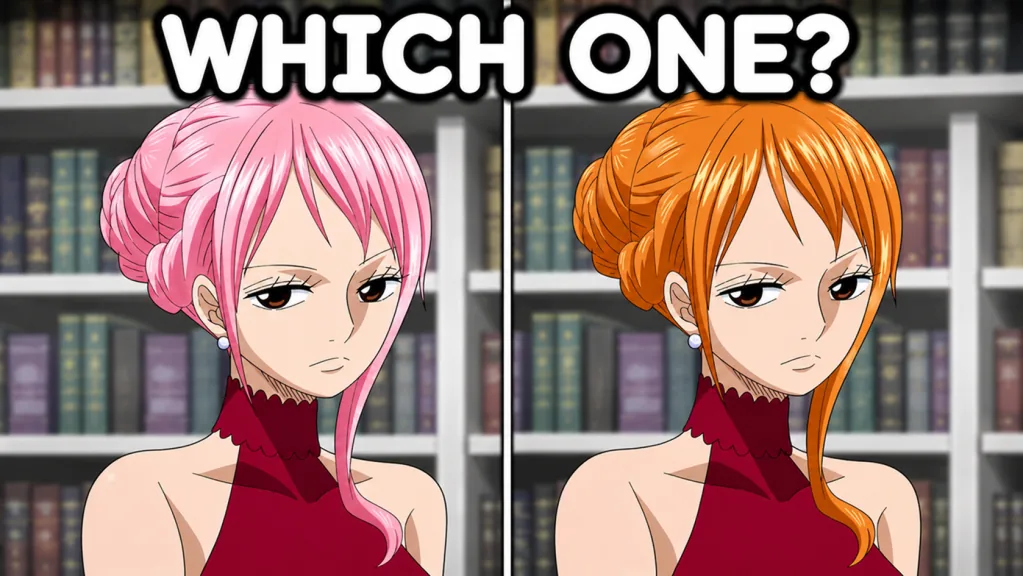
Hair and eye comparisons both appear in the game’s promotional images. In either case, isolate the feature that changes and match its base color. The rest of the picture is a distraction.
Separate hue, brightness, and saturation
Players often remember only a color name, such as pink, blue, orange, or red, and still lose a close round. A color name identifies the family, not the shade. Break the decision into three passes:
- Hue: Choose the nearest family. Decide whether the color leans warm or cool before worrying about precision.
- Brightness: Compare the target with white, middle gray, and near-black. Decide whether it is pale, medium, or deep.
- Saturation: Ask whether the shade is clean and vivid or softened toward gray.
Keep that order. Tiny brightness changes cannot rescue the wrong hue. Once the hue is right, brightness and saturation can separate two close percentages.
Hair: ignore highlights and shadow bands
Anime-styled hair often contains bright streaks, dark outlines, and broad shadow shapes. Look for the midtone that covers the largest uninterrupted part of the hair. A white highlight on pink hair does not make the target white, and a deep purple shadow does not automatically make the base color purple.
When two candidates look plausible, compare them with the area between the strongest highlight and darkest shadow. That midtone is a better anchor than either extreme.
Eyes: isolate the iris
Eye prompts can be difficult because the colored region is small. Mentally crop out the skin, white of the eye, pupil, lashes, and reflection. Judge the iris fill itself. If the portrait is small, use the broad hue confidently, then avoid aggressive fine adjustment that depends on pixels you cannot clearly see.
Clothing: use the largest visible panel
For clothing, find the garment area with the most visual weight. Ignore trim until the main panel is settled. A black uniform with bright red piping is still dominated by black unless the prompt framing gives the red element unusual emphasis.
Stop franchise association from hijacking the answer
Recognition is fast, but it can make you too confident. A logo, team color, signature attack, or alternate costume might come to mind before you process the portrait. Let memory suggest a hue, then make the image approve or reject it.
Run a one-second contradiction check before submitting: point to a substantial area of your chosen color, confirm that it belongs to the character rather than the background, and compare its brightness with your preview. If you cannot do that, discard the remembered association.
Build a compact memory system
The experience advertises more than 100 anime characters, so a giant answer list is a poor starting point. The pool can grow. Build your own small memory system from prompts you meet in live matches.
After a duel, remember each difficult prompt in a three-part label:
feature + hue family + shade quality
Try labels such as “hair, warm pink, medium and vivid” or “eyes, cool blue, dark and muted.” This records the visual decision you made without tying it to a list that can go stale.
Group repeat mistakes by feature rather than by franchise. Practice pale hair shades together, or focus on isolating the iris when eye prompts cause trouble. The skill transfers to new prompts.
A fast routine for narrow-margin rounds
When both players keep landing in the correct color family, speed stops being enough. Use a two-pass answer:
Pass one: secure the family. Select the nearest obvious swatch or move directly to the broad hue. This creates a safe baseline early in the countdown.
Pass two: compare the shade. Look back and forth between the current-color preview and the target feature. Change only one property at a time. Start with brightness, then check intensity, so you know which movement helped.
Stop adjusting once the preview and target feel close at a glance. Repeatedly moving across several color families destroys the stable baseline you already had. Leave enough time to submit and confirm the button has entered its submitted state.
Pre-submit character-color checklist
Use this checklist in the final seconds:
- I matched the portrait displayed now, not another version from memory.
- I can identify the exact hair, eye, clothing, or accent region I used.
- I chose the base shade rather than a highlight, outline, or shadow.
- The hue family is correct before I refine anything else.
- The brightness is close: pale, medium, or deep.
- The intensity is close: vivid or muted.
- I have enough time to submit and verify the locked state.
The game does not publish its percentage formula, so this routine cannot promise a score. It gives every adjustment a visible reason instead of relying on a remembered character theme.
FAQ
Is there a complete Guess the Anime Color character list?
The experience advertises more than 100 characters, and that pool can change. Learn a reusable visual scan and treat the current in-game prompts as the roster that matters.
Should I choose a character’s most famous color?
Only when that color is visible in the displayed reference. The current portrait should overrule franchise associations, alternate outfits, and remembered effects.
How do I choose between hair and eye color?
Start with the largest clearly emphasized feature in the prompt image. If the composition closely frames the face or visibly compares eye colors, isolate the iris; otherwise judge the dominant character area.
What should I do when two shades look almost identical?
Lock the correct hue family first, then compare brightness and saturation one at a time. Stop adjusting early enough to submit safely.
Can I memorize exact answers for every prompt?
A growing pool makes a complete memorized list fragile. Remember difficult prompts as feature, hue family, and shade quality so the method still works on unfamiliar images.